Scene Keyboard
A customizable macro keyboard — press a key to switch scenes. Supports Bluetooth and USB
Set Scene Animation for a Key
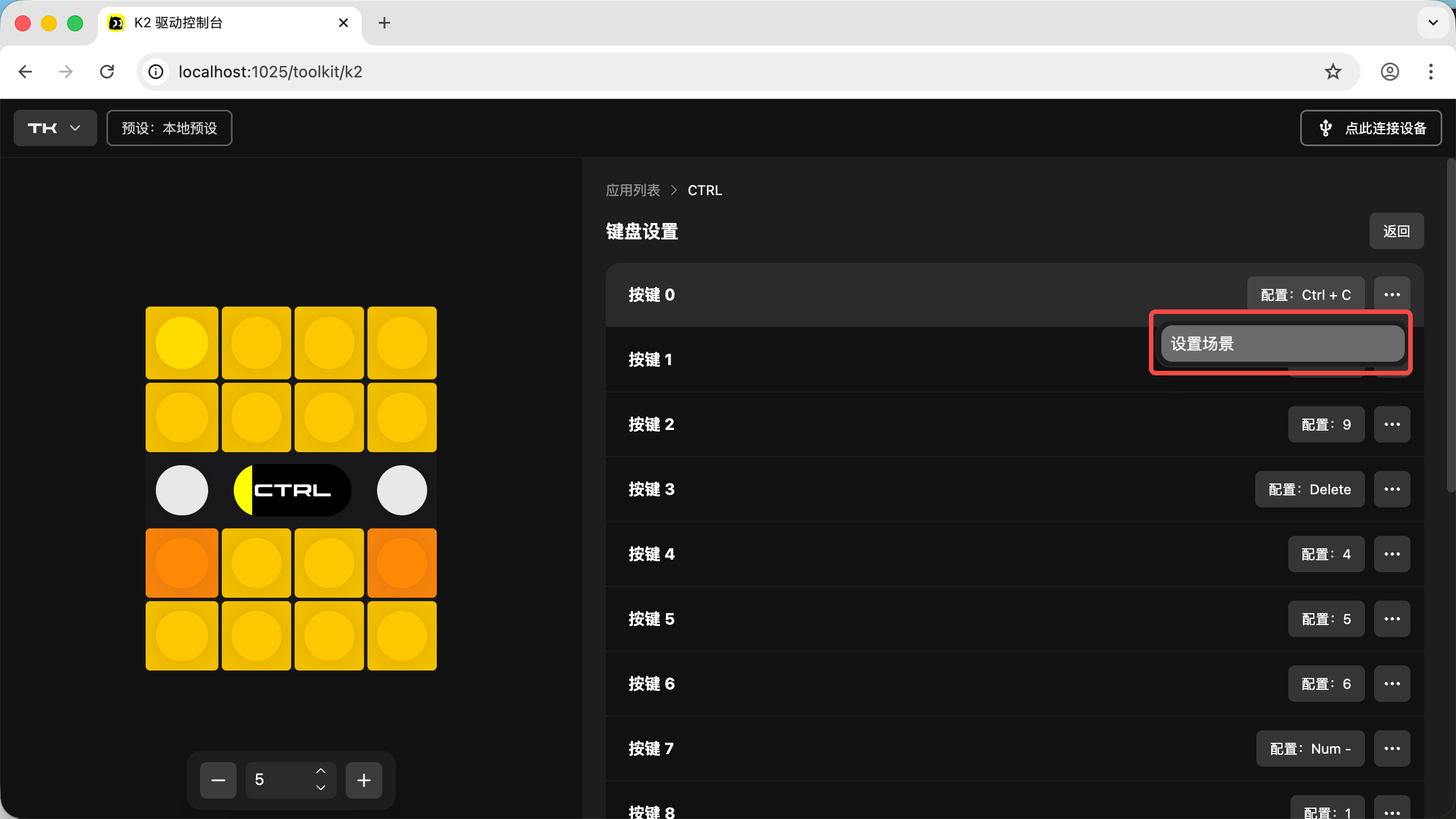
- Click the three dots on the right side of a key, then click "Set Scene"
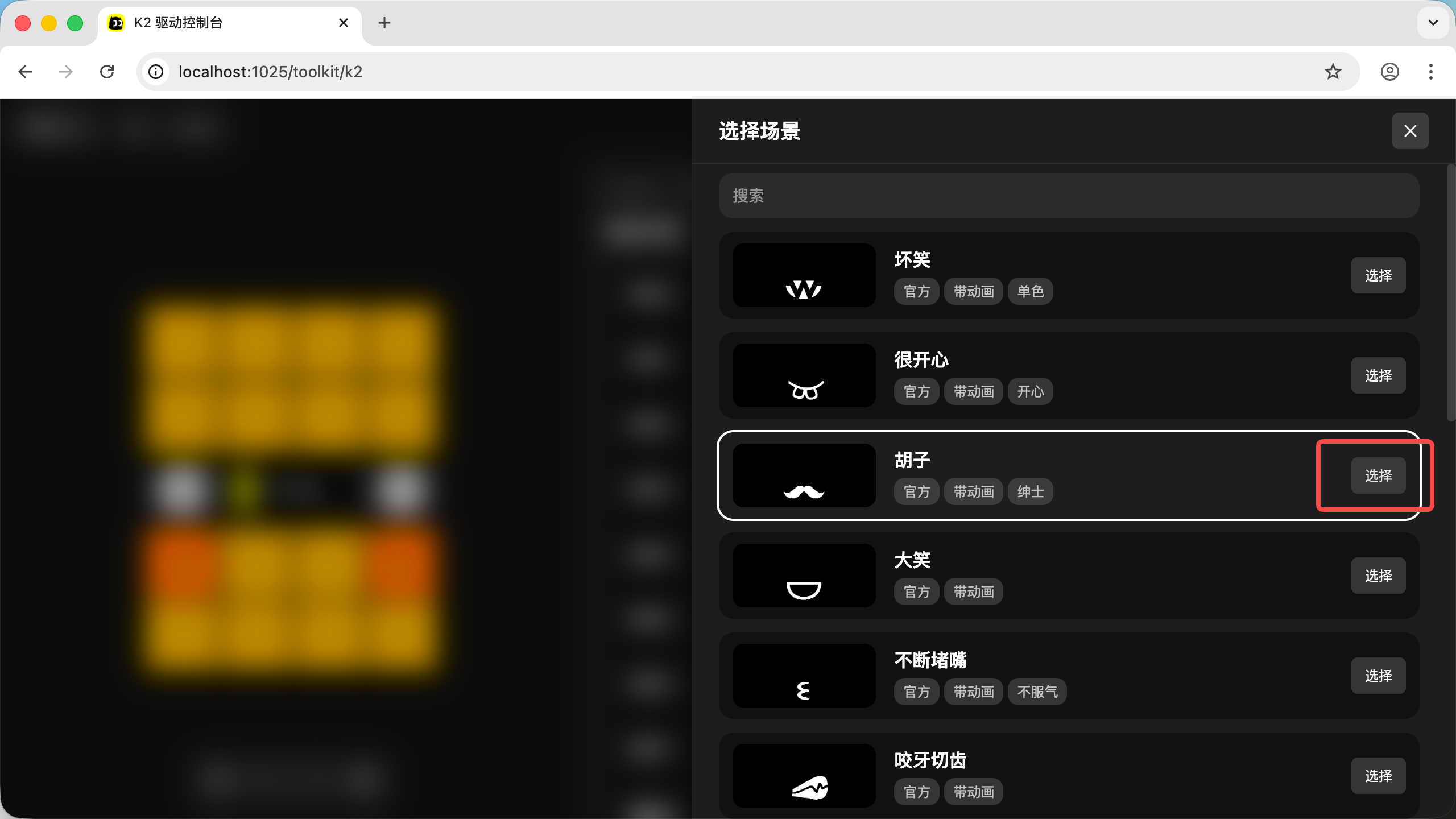
- Find a scene animation you like and click "Select"
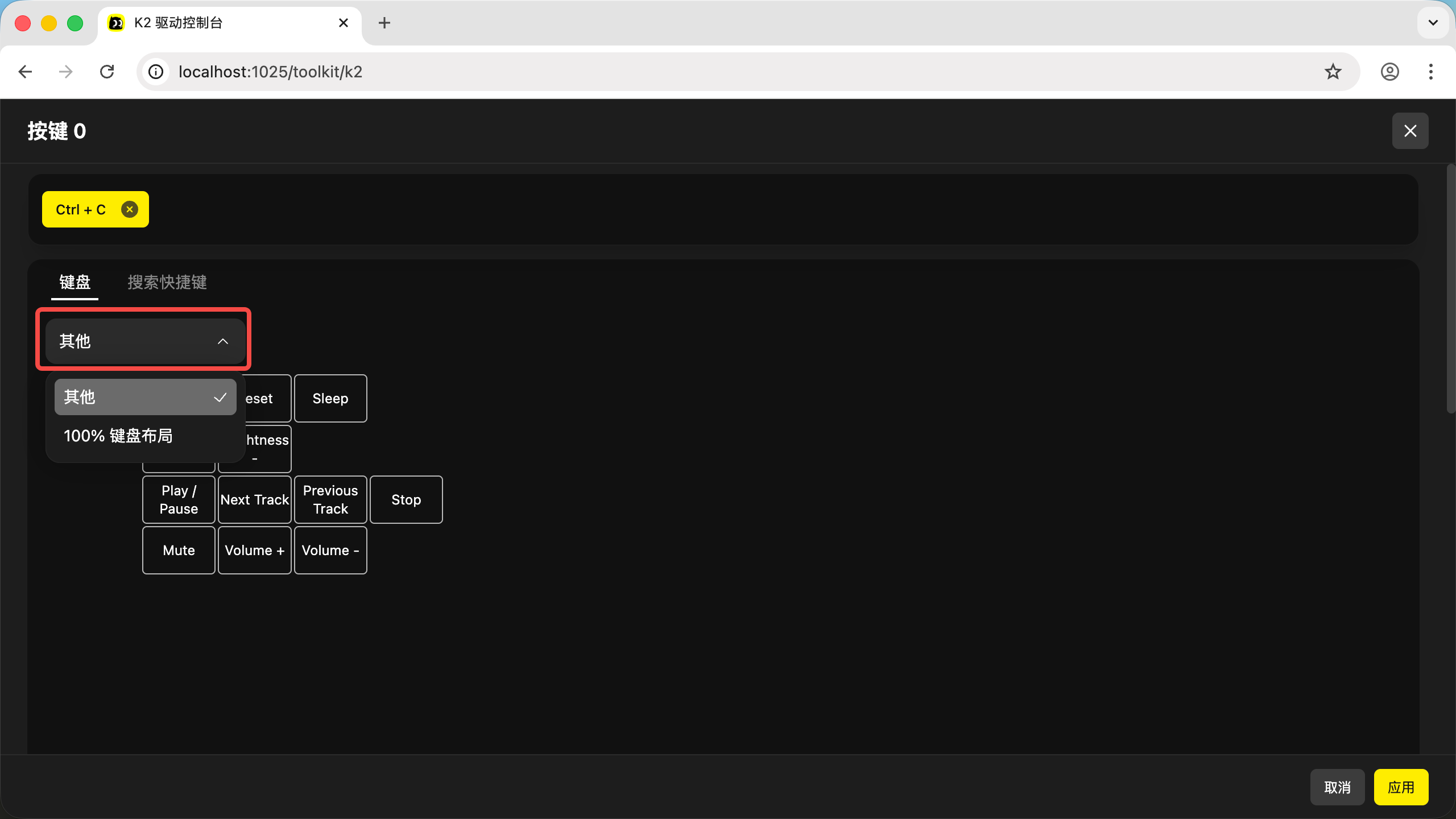
Switch to Other Layouts in Key Mapping